AIM / FCAPS / Fault (Alarms)
AIM · F · Fault (Alarms)
Every alarm has a cause, an owner and a history.
The Fault lens has two halves. Reachability: is each application answering AIM at all? Alarms: what has each application raised, how long has it been open, and who acknowledged it? This page covers both, and links to the recorded fault-and-recovery demo.
Half one · reachability
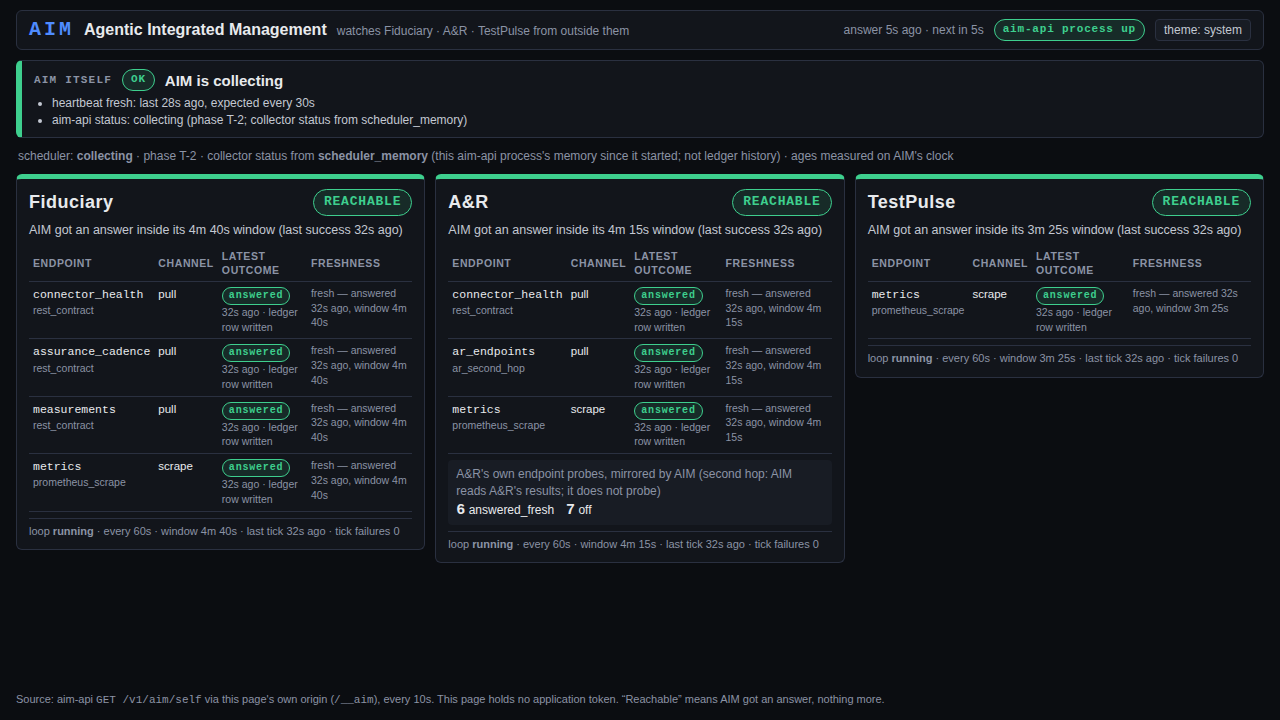
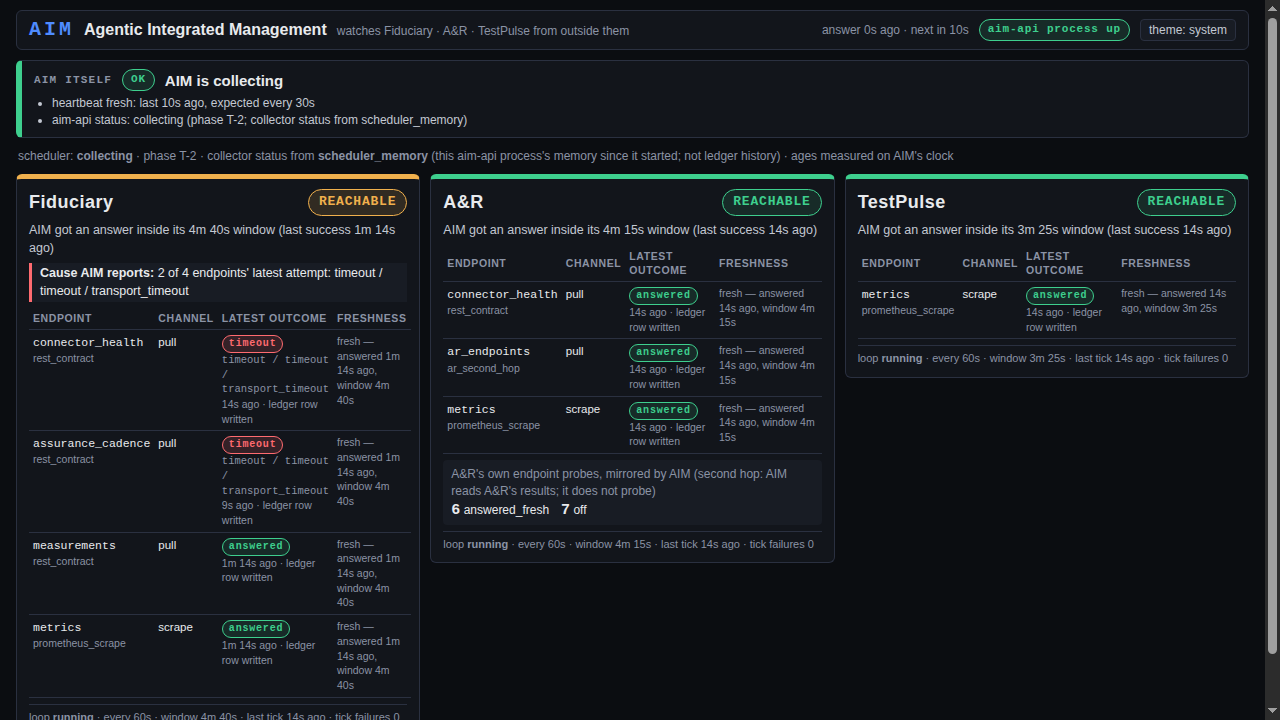
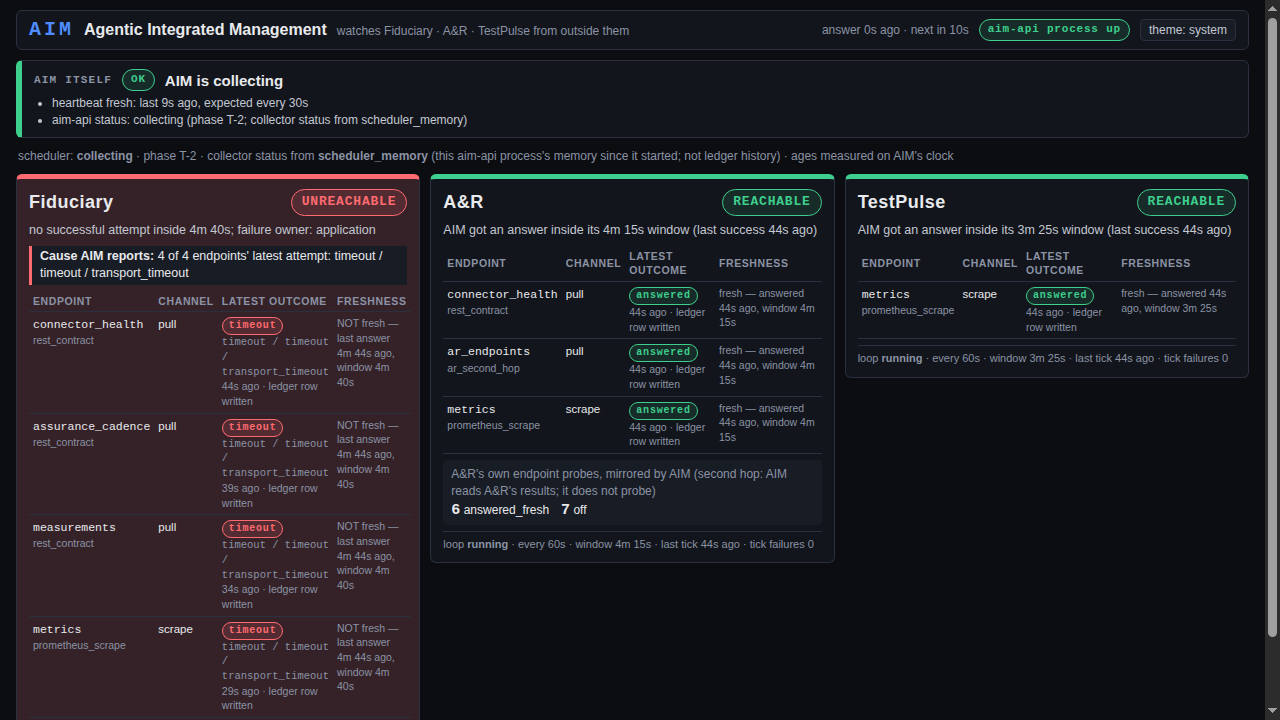
An outage is a full window of silence, not one missed read.
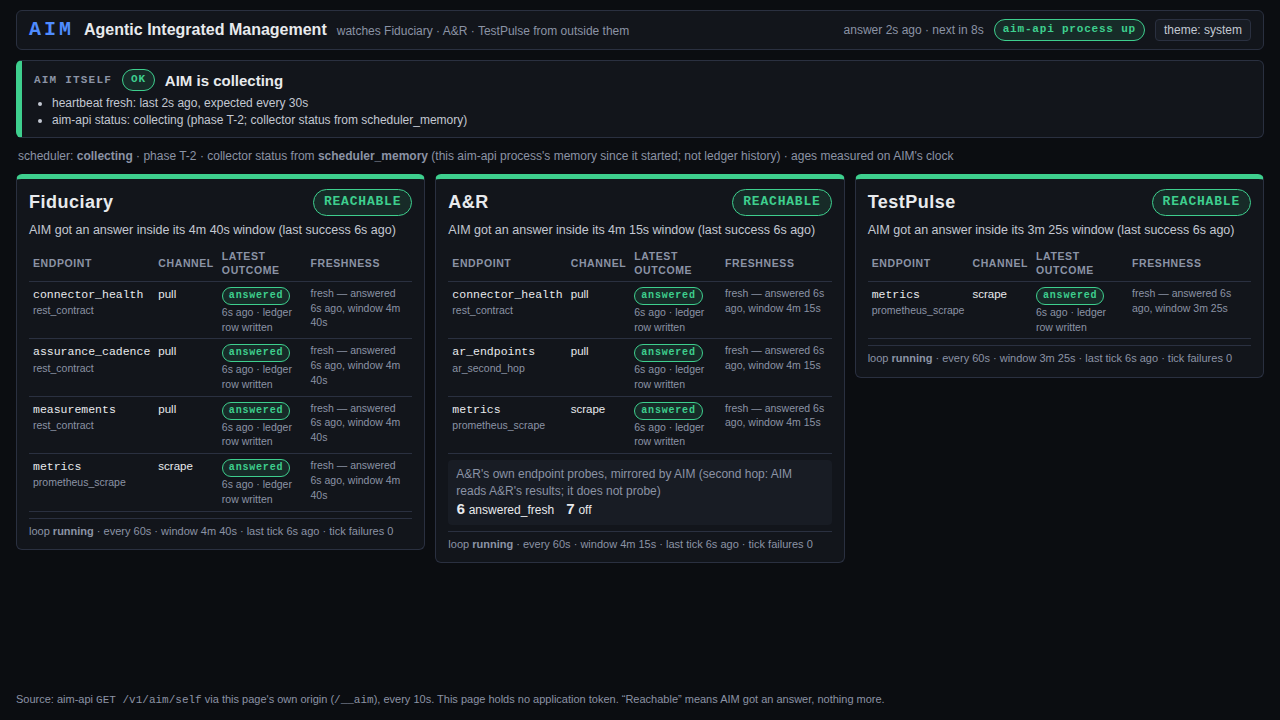
AIM collects from Fiduciary, A&R and TestPulse every 60 seconds, under one collector identity per application, and reports its own heartbeat first. Every attempt keeps its own outcome (answered, timeout, unreachable, auth_failed, forbidden, route_absent, disabled, throttled), and an application is declared unreachable only after a full window passes with no answer.
Engineering by Tarik Riley
Watch it happen. The fault-and-recovery recording stops Fiduciary's API for real and shows every step above, start to finish.
Half two · alarms
AIM keeps the alarm record. It never recomputes the threshold.
Each application evaluates its own alarm conditions and publishes every raised alarm with a stable identity: alarm_key, condition_key and target. AIM's evaluator compares that raised set against the alarms it already has open, opening and clearing occurrences as they change. Working out "is this raised?" a second way inside AIM would let AIM and the application disagree about the same alarm, so AIM deliberately doesn't.
History built
Insert-only alarm state
Alarm occurrences and acknowledgements are stored as events that are only ever appended, never updated or deleted, and current state is derived from them. Acknowledgements form a hash chain, so an edited or missing link is detectable. Reads are tenant-scoped by row-level security.
Read views built
History, MTTA/MTTR, conditions
AIM serves alarm history (stable pagination), mean time to acknowledge and to resolve, and the condition registry, each behind its own authorization gate. The conditions file is versioned and digest-pinned by a test.
Acknowledge planned
Acknowledging inside AIM
Today an operator acknowledges an alarm in Fiduciary's console. Moving acknowledgement into AIM is a reviewed cutover: AIM refuses an acknowledgement against a stale observation, records the evidence cutoff the human saw, and reopens the alarm when new evidence arrives.
Import built
Bringing the record across
Existing alarm history is exported from Fiduciary with a checksummed manifest. AIM imports it in a dry run first, and only if the hash chain verifies on both sides. Exports refuse to run if row-level security isn't actually being enforced.
What is live today
Reachability collection and the recorded fault demo are live on the lab. The alarm evaluator, the alarm history and the read views are built and deployed in AIM's service. Moving acknowledgement and day-to-day alarm handling from Fiduciary's console into AIM's own screen is the next reviewed step, and this page will say when it lands. All data is synthetic.
Talk to us about applying FCAPS to your AI.
If you run an operations team that already speaks FCAPS, AIM gives the AI the same five lenses: Fault, Configuration, Accounting, Performance and Security.